
Is a Domain Name Services Letter in the Mail Legit or a Scam?
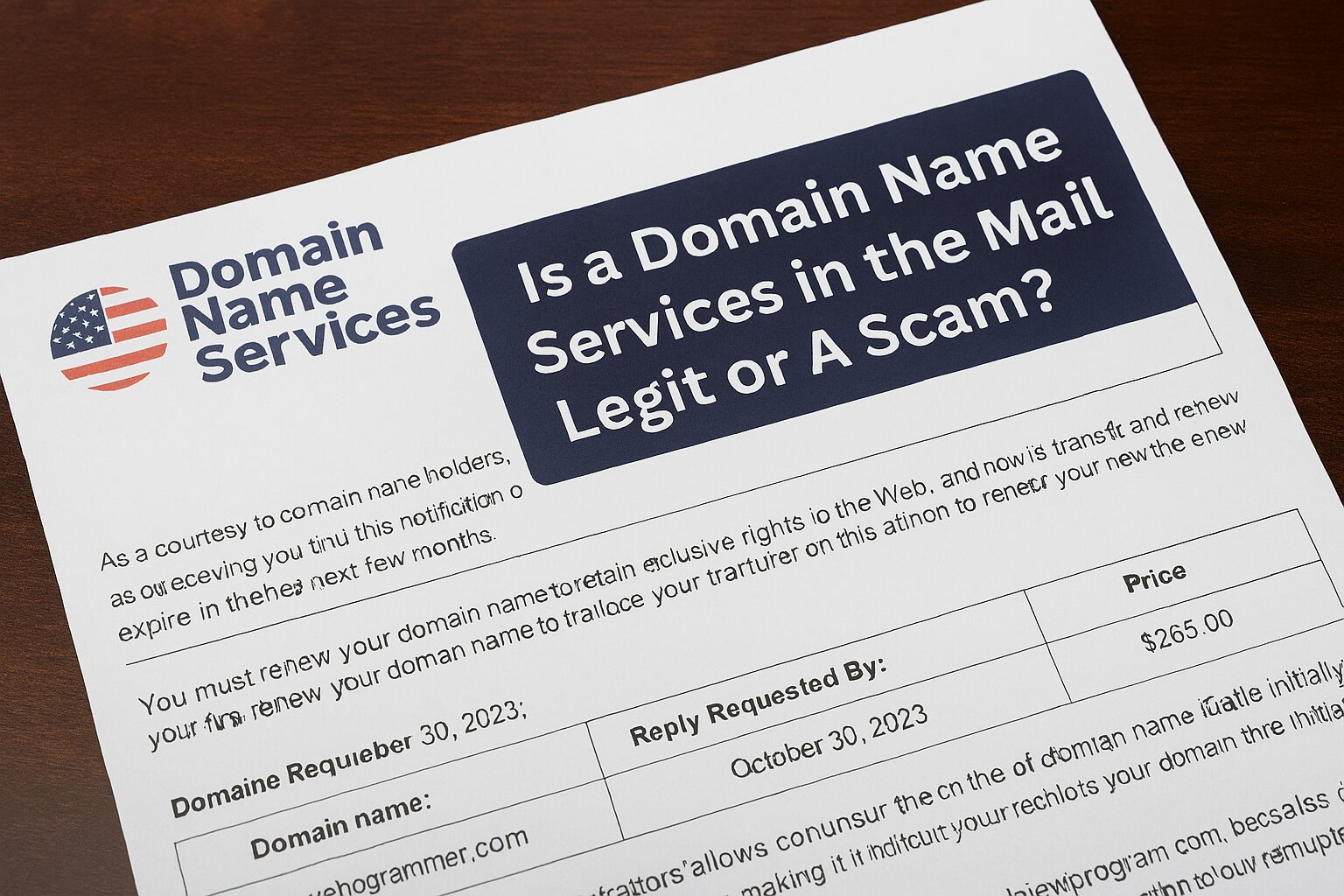
As a Baltimore SEO Company we always get asked the following “I just got this letter in the mail, do I need to pay it? If you’ve recently received a letter in the mail from something called Domain Name Services, urging you to act fast and “renew” your domain name for a fee take a breath before grabbing your credit card. While the letter might look official, it’s often a deceptive marketing tactic at best, and a scam at worst.
Let’s break down what’s really going on, how to protect yourself, and what to do to keep your domain secure.
Is a Domain Name Services Letter a Scam?
In most cases: yes.
These letters typically come from companies with names like:
-
Domain Registry of America
-
Domain Listings
-
Domain Service
They may look like invoices or renewal notices, using language like:
-
“You must act now to avoid service interruption.”
-
“Final notice for domain renewal.”
-
“You are at risk of losing your domain.”
What they’re actually trying to do is trick you into transferring your domain to a new registrar or paying for overpriced and unnecessary services (like $289 for “search engine submission”).
Why They’re Misleading:
-
They use publicly available domain registration info to target you.
-
They don’t represent your actual domain registrar (like GoDaddy, Namecheap, Google Domains, etc.).
-
Many don’t provide any real service — they just collect your money and disappear.
How to Identify a Domain Name Services Letter Scam
Spotting a domain scam can be easy when you know what to look for. Here are a few red flags:
1. Urgency & Fear Language
Phrases like “Act now or lose your domain!” are designed to cause panic.
2. Incorrect Registrar Information
The letter rarely identifies your actual domain provider.
3. Outrageous Pricing
Legitimate domain renewals usually cost between $10–$30 per year — not $180+.
4. Unfamiliar Company Name
If you don’t recognize the company, that’s a big clue.
5. No Website or Support Info
Many of these letters don’t include working contact information or links to actual account portals.
How to Verify Where Your Domain is Registered
To find out where your domain is really registered, follow these steps:
Look up your WHOIS info:
-
-
Use tools like whois.com or ICANN WHOIS.
-
This will show your domain’s registrar and status.
-
Check your email records:
-
Search for your domain registrar’s original confirmation or renewal emails.
Log into your domain account:
Head directly to the website of GoDaddy, Bluehost, Squarespace, etc., and check your domain status there.
Use your DNS host dashboard:
-
If your website is active, your web developer or hosting provider may also help you confirm domain ownership.
How to Keep Your Domain Secure and Set Up for Renewal
If you own a business, your domain name is critical digital property. Here’s how to make sure it stays protected:
-
Enable Auto-Renew: This ensures your domain doesn’t expire accidentally.
-
Use a Strong Password & 2FA: Protect your domain registrar login with a secure password and two-factor authentication.
-
Keep Billing Info Updated: An expired card can cause domain lapse even with auto-renew enabled.
-
Monitor Your Domain Expiration Date: Set reminders a few weeks in advance.
-
Lock Your Domain: Most registrars offer a domain lock feature to prevent unauthorized transfers.
How to Keep Your Domain Secure and Set Up for Renewal
If you own a business, your domain name is critical digital property. Here’s how to make sure it stays protected:
-
Enable Auto-Renew: This ensures your domain doesn’t expire accidentally.
-
Use a Strong Password & 2FA: Protect your domain registrar login with a secure password and two-factor authentication.
-
Keep Billing Info Updated: An expired card can cause domain lapse even with auto-renew enabled.
-
Monitor Your Domain Expiration Date: Set reminders a few weeks in advance.
-
Lock Your Domain: Most registrars offer a domain lock feature to prevent unauthorized transfers.
Best Practices for Keeping Control of Your Domain and Intellectual Properties
Scammers aren’t just after your domain — they’re after brand trust, web traffic, and search rankings. Here’s how to protect your full digital presence:
Register Your Domain Under the Right Name
Make sure your business — not a former employee or freelance developer — is listed as the registrant.
Secure All Variants of Your Domain
Consider buying:
-
Common misspellings
-
.net, .org, .co versions
-
Domain names related to your brand or slogans
Set Domain Privacy Protection
This keeps your name, email, and phone number hidden from WHOIS databases, reducing scam attempts.
Keep a Centralized List of All Your Assets
Track domain names, trademarks, hosting logins, and email providers in a secure, centralized place.
Partner with a Trusted Digital Marketing Team
At MarketKeep, we help small businesses stay safe and visible online. We’ll monitor your domain health, protect your assets, and ensure you never fall for a domain scam.
How Legitimate Domain Registrars Notify You of Renewals
Email Notifications (Primary Method)
Most registrars send:
-
30-day, 15-day, and 7-day reminder emails
-
Confirmation emails when the domain renews (auto or manual)
-
Failed payment notices if the card is declined
These emails are:
-
Sent from the registrar’s official domain (e.g.,
@godaddy.com,@namecheap.com) -
Linked to your actual account dashboard
-
Personalized with your domain name and expiration date
-
Never include threats or excessive urgency
Example subject lines:
-
“Your domain will renew soon”
-
“Action required: Update your payment method”
-
“Success! Your domain has been renewed”
2. Account Dashboard Alerts
When you log in, you’ll typically see:
-
Notifications on your homepage or domain manager screen
-
Expiry countdowns next to each domain
-
Warnings if auto-renew is off or billing details are outdated
3. Push Notifications / App Alerts
If you use the registrar’s mobile app (e.g., GoDaddy’s), you may get:
-
Push alerts about renewals, expiring domains, or payment issues
4. Text Messages (Optional)
Some registrars allow you to enable SMS reminders (opt-in only). These are rare and always link back to your dashboard—not to third-party payment pages.
What They Don’t Do:
-
Send renewal invoices by postal mail
-
Ask you to “switch registrars” or transfer domains to avoid expiration
-
Pressure you with “urgent action” or threaten your website’s disappearance
-
Use vague company names like “Domain Listings” or “Domain Name Services”
Best Practices to Stay Informed
-
Use a primary email account for your registrar (not one you rarely check).
-
Enable auto-renew to avoid missed deadlines.
-
Update your billing info after card changes or expirations.
-
Add the registrar’s email to your safe sender list (e.g., support@godaddy.com).
A physical letter urging you to “renew your domain now” might seem convincing — but it’s usually a scam designed to prey on confusion. Instead of responding in haste, pause, verify your domain status, and only renew through your trusted registrar.
If you’re ever unsure, feel free to reach out. At MarketKeep, we’re happy to help you sort scams from services and keep your digital brand protected.

